
How do I use my store credits online?Updated 9 days ago
You can use your available store credit directly during checkout.
- Log in to your By Invite Only account using the email address linked to your store credit.
- Add your preferred items to your cart and proceed to checkout.
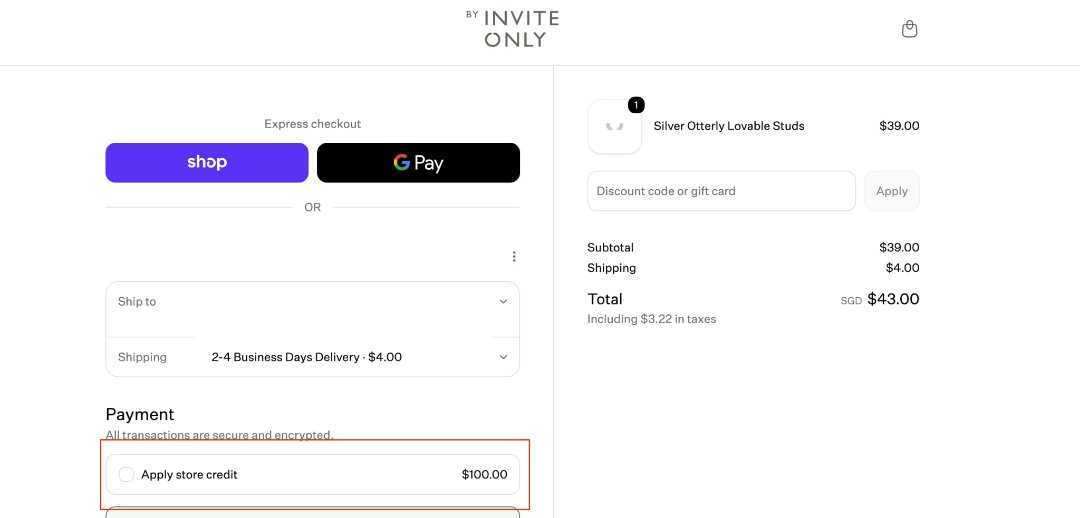
- Under the Payment section, your available Store Credit will appear above the credit card payment option.
- Select your Store Credit to apply it towards your order.
- If your order total exceeds your available store credit, you can pay the remaining balance using another available payment method.
Please note: Your store credit may not be visible if you are not logged in with the email address associated with the credit.